HP Spectre x360 14 review (2024): Keeping the 2-in-1 laptop dream alive

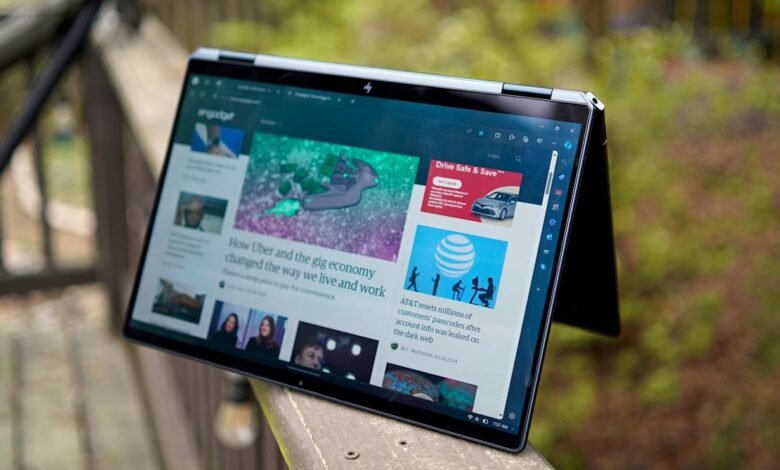
The idea behind convertible, or 2-in-1 PCs, has remained the same over the last decade: Why buy a tablet when your laptop can fold a full 360 degrees, allowing you to use it as a large slate, or a screen propped up without a keyboard in the way? Most PC makers have moved on from the concept entirely, but HP remains one of the holdouts. While Windows never became the tablet-friendly platform Microsoft envisioned, there’s still plenty of value in having a machine that can transform to suit your needs.
That was my takeaway two years ago when I tested HP’s 16-inch Spectre x360, and now the company has returned with a smaller model, the Spectre x360 14. It features Intel’s latest CPUs with AI-accelerating NPUs (neural processing units), faster Intel Arc graphics and a beautiful 2.8K OLED display. And best of all, it’s still usable as a tablet, unlike its larger sibling.
Even if you never plan to twist its screen around, though, the HP Spectre x360 14 is still an attractive premium laptop. For some, it may also serve as a more traditional alternative to Dell’s new XPS 14, which has an invisible trackpad and a capacitive function row. While that computer looks great, getting used to its less conventional features takes some time. The Spectre x360 14, on the other hand, is both attractive and familiar to anyone who’s ever used a laptop. (Its rotating screen takes just 10 seconds to figure out for the first time, while Dell’s invisible trackpad still tripped me up hours after I started testing it.)
Design and hardware
That familiarity could also be seen as a shortcoming of HP’s. The Spectre x360 14 has everything you expect to see in a premium laptop today: A sleek metal case, a gorgeous screen with ultra-thin bezels and a luxuriously large trackpad with haptic feedback. But really, it doesn’t look that much different from the 13-inch Spectre x360 I reviewed in 2019. It would be nice to see HP take a few major design leaps, but on the other hand, I can’t blame the company for sticking with a winning design.
With the Spectre x360 14, HP focused on minor updates. It has a wide 14-inch screen with a 16:10 aspect ratio, compared to the previous model’s 13.5-inch display that was a squarish 3:2. Its trackpad offers configurable haptic feedback and is 19 percent larger than before, so much so that it completely dominates the palm area. HP stuck with its wonderfully responsive keyboard, but its key caps are 12 percent larger, making them easier to hit. And to simplify functionality a bit, HP unified the power button and fingerprint sensor (the laptop also supports Windows Hello facial biometrics).
The port situation hasn’t changed. There are two USB-C connections along the right rear (including one on its unique chopped corner), as well as a drop-down USB Type-A port on the left and a headphone jack on the corner. As usual, it would have been nice to see some sort of card reader built in, especially for a machine aimed at creative professionals.
The Spectre x360 14 may look very similar to its siblings, but HP says it’s been tweaked significantly under the hood. It now supports 28-watt Intel Core Ultra CPUs, instead of the previous 14-watt options, and offers 10 percent more airflow than before. The company also managed to engineer those improvements without increasing the machine’s 17 millimeter height. At 3.2 pounds, it’s a bit more portable than the 3.5-pound MacBook Pro 14-inch.
The Spectre’s 9-megapixel webcam is also a major upgrade from the previous 5MP option. The new sensor offers hardware-enabled low light adjustment thanks to quad-binning, the process of taking data from four pixels and combining them into one. That allows cameras with smaller pixels to let in more light, resulting in a brighter overall picture. During Google Meet and Zoom calls, the webcam delivered a sharp picture with bright and bold colors. It looked almost like a mirrorless camera once I enabled Windows Studio Effects background blur, though the picture occasionally looked overexposed in direct sunlight.
Video chats also sounded great through the laptop’s quad-speaker array, which consists of two upward firing tweeters along the keyboard and two woofers along the front. There’s not much low-end (especially compared to Apple’s MacBook Pro speakers), but voices and music sound surprisingly clear. The speakers can also get pretty loud without distortion, which is impressive for such a thin system.
While the laptop has an NPU-equipped processor, which powers features in Paint, ClipChamp and Windows Studio Effects, the Spectre x360 14 isn’t technically an “AI PC” under Intel and Microsoft’s definition. The reason? It doesn’t have a dedicated button for Windows Copilot. Personally, though, I haven’t found that key to be very useful on the XPS 14 and 16. Triggering Copilot from the taskbar or Windows sidebar isn’t very difficult, and it’s certainly not onerous enough to warrant giving up a spot on the keyboard.
In use
The HP Spectre x360 14 I reviewed performed similarly to other machines we’ve tested with Intel’s Core Ultra 7 155H chip. It’s fast and relatively efficient, especially compared to systems from two years ago. My review unit, which came with 32GB of RAM and a 2TB SSD, was 30 percent faster in the PCMark 10 benchmark compared to the Spectre x360 16 from 2022 (6,493 points, up from 4,785 points). This year’s Spectre also scored 78 percent higher in the Cinebench R23 multi-core benchmark, a testament to the improvements Intel has made since its 11th-gen CPUs.
| Geekbench 6 CPU | PCMark 10 | Cinebench R23 | 3DMark Wildlife Extreme | |
|---|---|---|---|---|
| HP Spectre x360 14 (Intel Core Ultra 7, 2023) | 2,273/11,735 | 6,493 | 1,651/8,481 | 5,952 |
| ASUS ZenBook 14 OLED (Intel Core Ultra 7, 2023) | 2,240/10,298 | 6,170 | 1,599/7,569 | 4,827 |
| Apple MacBook Pro 14-inch (Apple M3, 2023) | 3142/11,902 | N/A | 1,932/10,159 | 8,139 |
| HP Spectre x360 16 (Intel i7-11390H, 2022) | N/A | 4,785 | 1,515/3,722 | N/A |
The most noticeable upgrade for the Spectre x360 isn’t AI smarts; it’s Intel’s Arc graphics, which are dramatically faster than Intel’s older integrated graphics. In 3DMark’s TimeSpy Extreme benchmark, it almost kept up with NVIDIA’s RTX 3050 in the x360 16 (1,435 points compared to 1,730). That’s impressive for a machine that’s far slimmer and lighter. Sure, it’s no gaming rig, but I was still able to play Halo Infinite in 1080p at around 30 fps. I’m sure it would handle smaller indie titles just fine.
Thanks to the wealth of RAM and Intel’s Core Ultra chip, my review model tackled everything I threw at it without any noticeable slowdown. During a typical workday, I juggle dozens of browser tabs, photo editing apps, YouTube streams, video chats, Slack and Evernote. The Spectre x360’s OLED display also made everything look fantastic, even if I was just staring at words on a news site. It supports a variable refresh rate up to 120Hz, so scrolling through documents and sites was very smooth.
